

Sakura Origin Pink
Core Specifications:

Ryzen 5 5600X Processor

RTX 5050 8GB Graphics

32GB DDR4 Memory

1TB SSD Storage
Playtech Advantages
3 Year Warranty
Lifetime Support
Fast & Safe Shipping
Building Gaming PCs since 1991
Finance Available
Specifications
Ryzen 5 5600X Ryzen 5 5600X
RTX 5050 8GB RTX 5050 8GB
32GB DDR4 32GB
Promotion
Free XXL Playtech Mousepad
Fast & Safe Shipping
Building Gaming PCs since 1991
Finance Available
Specifications
Ryzen 5 5600X Ryzen 5 5600X
RTX 5050 8GB RTX 5050 8GB
32GB DDR4 32GB
Promotion
Free XXL Playtech Mousepad
Finance Available
Specifications
Ryzen 5 5600X Ryzen 5 5600X
RTX 5050 8GB RTX 5050 8GB
32GB DDR4 32GB
Promotion
Free XXL Playtech Mousepad
Calculate your finance payments
Payments based on

Payments from a week with Finance Now*
Up to 36 Months Available

Payments from a week with Gem Visa*
18 Months Interest Free.

Payments from a week with Q Card Long Term Finance*
18 Months Interest Free.

Payments from a week with NOW Rewards Visa*
18 Months Interest Free.
Build details
Graphics Card
The graphics card is responsible for rendering the images you see on screen, and it's the single biggest factor in how many frames per second (FPS) a game runs at. It works alongside the processor but handles a different job — while the CPU manages game logic and instructions, the graphics card takes those instructions and does the heavy lifting of drawing each frame, including lighting, textures, shadows, and effects. Higher-spec graphics cards have more processing cores and faster memory, letting them render more complex scenes at higher resolutions and frame rates.
Graphics cards also come with their own dedicated memory (VRAM), which stores textures and image data ready for rendering. More VRAM allows for higher resolutions, more detailed textures, and smoother performance in modern, demanding titles, while lower amounts can lead to stuttering once a game's visual settings exceed what the card can comfortably hold. Since the graphics card has the most direct impact on FPS, it's usually the first place to look when aiming to hit a specific performance target — whether that's high frame rates for competitive play or maximum visual detail for immersive, story-driven games.
Processor
The processor is the brain of your PC — it handles every calculation needed to run your games and applications, from physics and NPC behaviour to rendering instructions sent to your graphics card. Higher-spec processors have more cores and threads, letting them handle more tasks simultaneously, and higher clock speeds mean each core works through instructions faster.
For gaming specifically, a stronger processor reduces bottlenecking — the mismatch where your graphics card is capable of higher frame rates but is left waiting on the CPU to keep up. This matters most at higher frame rates and lower resolutions, and if you multitask while gaming (streaming, Discord, background apps), extra cores make a noticeable difference in keeping things smooth.
Memory
Memory is your system's short-term workspace — it temporarily holds the data your CPU needs immediate access to, so it doesn't have to keep pulling that information from slower long-term storage. More memory means your system can keep more programs and game data ready to go at once, reducing stutters and load pauses.
16GB is currently the standard for smooth gaming performance across most modern titles. 32GB is a smart step up if you're multitasking heavily, running background applications, or live streaming while you play, since encoding and chat overlays all draw on memory alongside the game itself. Beyond 32GB, the benefit shifts away from gaming and toward productivity and professional workstation tasks — large creative projects, 3D rendering, or running multiple demanding applications simultaneously.
Storage
Storage is where your operating system, games, and files live permanently, and both capacity and drive type affect your experience. Capacity determines how much you can install before running out of space — modern games can range from a few gigabytes to well over 100GB each, so this is worth planning ahead for.
Drive type affects speed. Solid state drives (SSDs) have no moving parts and are dramatically faster than older mechanical drives, resulting in quicker boot times, faster load screens, and snappier file access. Within SSDs, there's a further tier: standard SSDs connect via a SATA interface and offer a solid speed boost over mechanical drives, while NVMe SSDs connect directly via a faster PCIe interface, offering significantly higher read and write speeds — useful for faster game loading, quicker file transfers, and snappier overall system responsiveness.
Cooling
Your processor generates heat under load, and how that heat is removed affects how consistently your system can perform. Stock coolers are the basic cooling solution included with a processor — they're compact and adequate for everyday use, but have limited headroom under sustained heavy loads. Aftermarket air coolers use larger heatsinks and fans to move more heat away from the processor, offering better sustained performance and often quieter operation than stock options.
Closed loop (or AIO) coolers use liquid to transfer heat away from the processor to a radiator, where fans dissipate it. These typically offer the strongest cooling performance, especially under demanding, sustained workloads. Radiator size affects cooling capacity: a 120mm radiator is compact and suits smaller cases or lighter loads, while 240mm, 280mm, and 360mm radiators offer progressively more surface area to dissipate heat, allowing higher-performance processors to sustain peak speeds for longer without overheating.
FPS benchmarks
1080p
1080p (also called Full HD) displays 1920 x 1080 pixels, making it the most common gaming resolution and the easiest to run well. Because there are fewer pixels for the graphics card to render compared to higher resolutions, systems can achieve higher frame rates at 1080p with the same hardware — making it a popular choice for competitive gaming, where smoothness and responsiveness matter more than maximum visual detail.
1080p is a great match for mid-range hardware, letting you run games at high frame rates without needing a top-tier graphics card. It's also well suited to smaller or mid-sized monitors, where the pixel density still looks sharp without needing the extra rendering power that higher resolutions demand.
1440p
1440p (also called Quad HD or 2K) displays 2560 x 1440 pixels — roughly 1.8x more pixels than 1080p. This gives noticeably sharper, more detailed visuals while still being achievable at high frame rates with a solid mid-to-high-range graphics card, making it a popular sweet spot between visual quality and performance.
Because it demands more from your hardware than 1080p, a stronger graphics card is needed to maintain the same frame rates. 1440p is well suited to larger monitors and to players who want a noticeable step up in image clarity without moving all the way to the heavier demands of 4K.
4K
4K (also called Ultra HD) displays 3840 x 2160 pixels — four times the pixel count of 1080p. This produces the sharpest, most detailed image quality available for gaming, with fine textures, text, and edges all rendering with much greater clarity. That extra detail comes at a cost, though: rendering four times the pixels requires significantly more graphics processing power to maintain smooth frame rates.
4K gaming generally requires a high-end graphics card to run modern titles comfortably, and even then, some players choose to prioritise higher frame rates over maximum settings at this resolution. It's best suited to larger displays and to players who value visual immersion and detail over the fastest possible response times.
What is FPS?
FPS stands for frames per second — the number of individual images your system renders and displays every second while you play. A higher FPS means motion looks smoother and more fluid, while a lower FPS can feel choppy or delayed, especially during fast-paced action. Most standard monitors display up to 60 FPS smoothly, while higher-refresh-rate monitors can take advantage of 120, 144, or even 240+ FPS for noticeably smoother, more responsive gameplay.
FPS is one of the clearest ways to measure real-world gaming performance because it reflects exactly what you'll experience on screen, rather than just theoretical hardware specs. It's directly affected by every other component working together — the graphics card typically has the biggest influence, but the processor, memory, and resolution all play a role too. This is why FPS benchmarks, tested across a range of games and settings, give a much more accurate picture of how a system will actually perform than looking at individual specs alone.
Test settings
*These FPS figures were measured in-house using real gameplay and/or dedicated benchmarking tools where available. Because game updates, driver updates, and other variables can affect performance over time, these figures aren't a guarantee of the performance you'll achieve — treat them as a ballpark indication rather than an exact result. Please reach out to our staff if you need a more accurate performance estimate for your build.
3 Year Warranty
On all Playtech desktop PC gaming systems.
Lifetime Support
On all Playtech desktop gaming systems.
Fast & Safe Shipping
Fast and safe track and trace shipping on all orders.
Building Gaming PCs since 1991
10's of thousands of happy customers!
More Details
About This PC
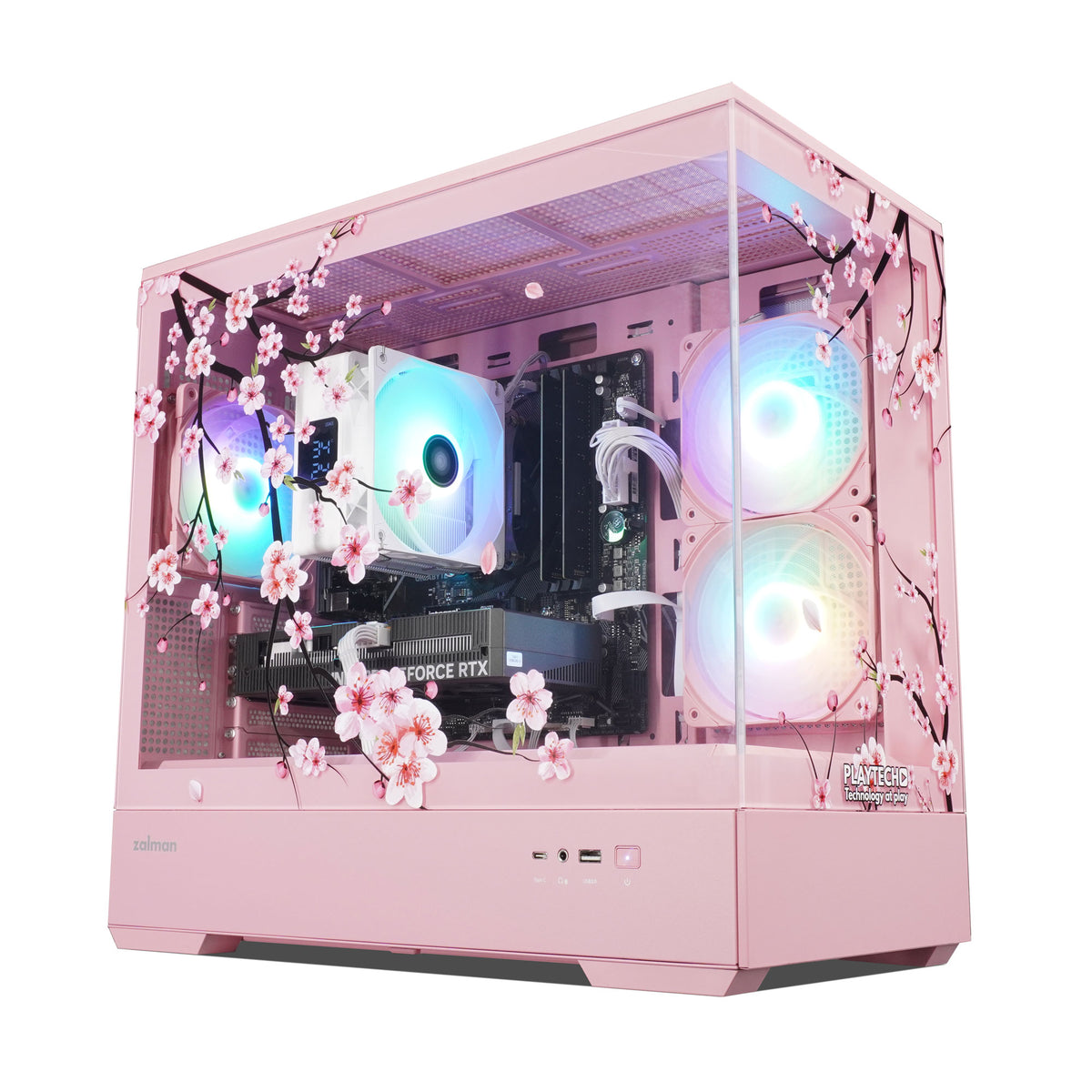
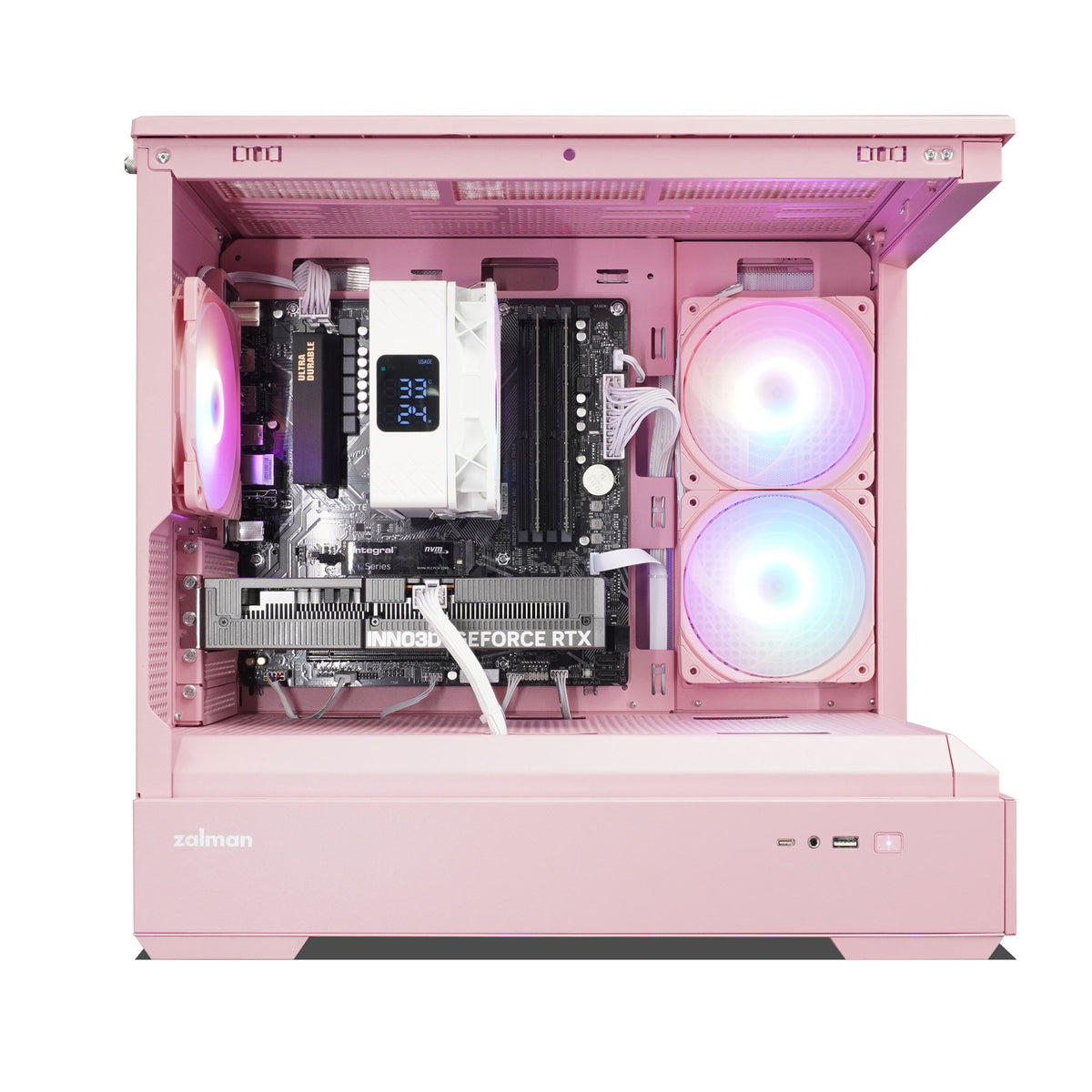
The Sakura Origin is where the Sakura Series begins, combining a compact pink Zalman P30 case with a beautifully UV-printed Sakura blossom glass panel. Powered by an AMD Ryzen 5 5600X and GeForce RTX 5050 8GB, it delivers capable gaming performance in a stylish, compact package. With 32GB of RAM, a 1TB NVMe SSD, Wi-Fi and fully customisable ARGB lighting, it’s a great choice for gamers looking for a distinctive PC that looks as good as it plays.
Specifications
- Zalman P30 MATX Tempered Glass Micro Tower Case - Pink
- MSI MAG A650BN WHITE 650W Power Supply
- Gigabyte B550M DS3H AC WIFI AM4 Micro-ATX Motherboard
- AMD Ryzen 5 5600X 6 Core 12 Thread Processor
- Segotep FI6 White ARGB 120mm CPU AIR Cooler with Screen Display
- 32GB 2666mhz (2x 16GB)DDR4 DIMM RAM
- Integral M2 Series 1TB M.2 2280 Gen3 NVMe SSD
- NVIDIA GeForce RTX 5050 8GB TWIN X2 Graphics Card
- AC WIFI - 1Gb/s Ethernet - Bluetooth v5.0
- Windows 11 Home (Pre-installed and Activated)
- Fully Customizable ARGB Lighting
- 3 Year Warranty - Return to Base
Front Ports:
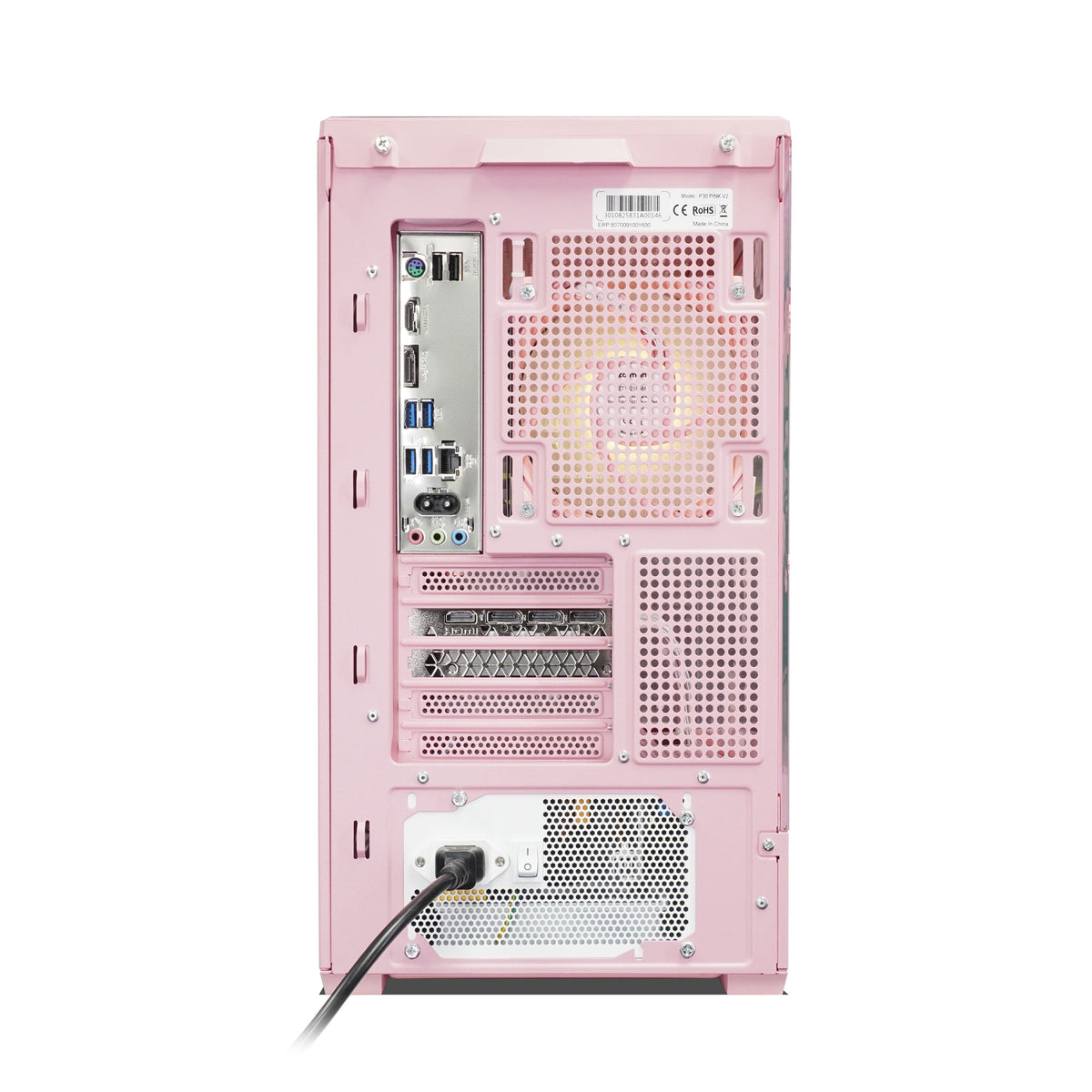
- 2x USB 3.0
- 1x Headphone 3.5mm
- 1x Microphone 3.5mm
Rear Ports:
- 4x USB 3.0
- 2x USB 2.0
- 1x Ethernet 1Gb/s
Graphics Display Outputs:
- 3x Display Port
- 1x HDMI Port
Additional + Accessories:
- 2x Sata Cables
- Wifi Antenna included
- VR Ready
Yours to upgrade, not just yours to own.
Add RAM or storage down the line and your warranty stays intact - only physical damage to a specific part voids cover on that part, nothing else. Already have a GPU or PSU? We'll build around it. Want a different spec? Talk to our team - every PC here can be tailored to you. And if anything ever needs attention, our Lifetime Tech Support covers all labour and service for as long as you own it - no time limit.
Case Dimension: 429mm(H) x x 235mm(W) x 453mm(D)
Included with PC
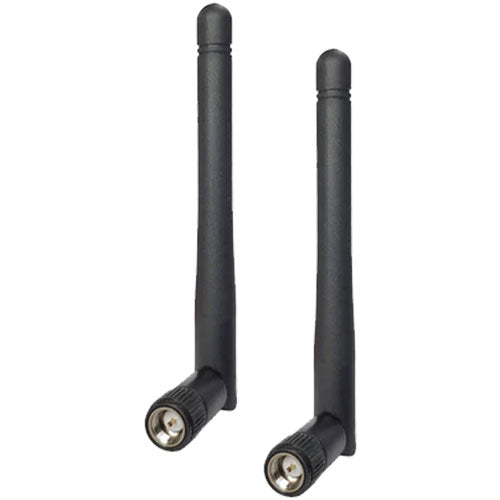
Wi-fi Antenna
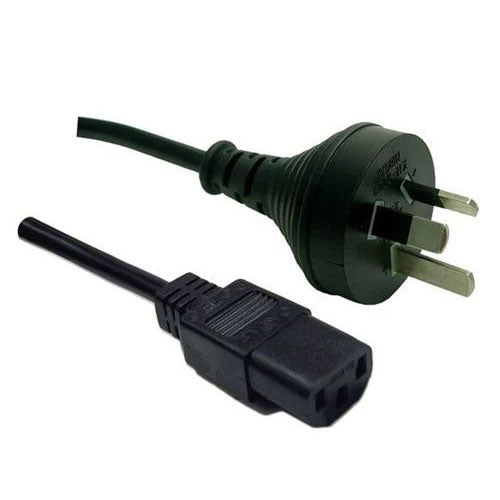
Power Cable

Quick start Guide

3 Year Warranty

Secure Packaging

Lifetime Tech Support

Windows 11
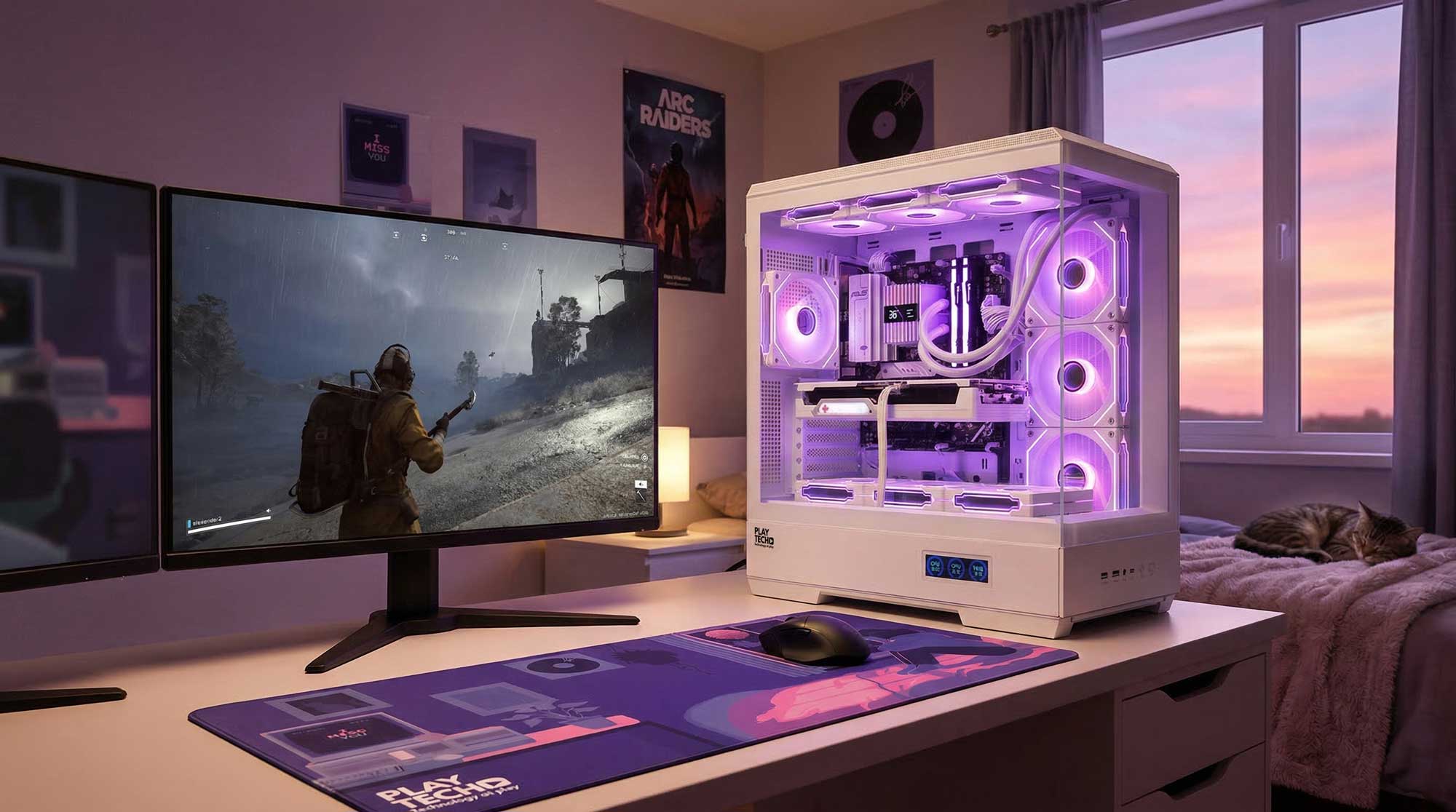
Shop for Similar PCs

Frequently Asked Questions
Below are some common questions we get asked about shopping for gaming PCs.
What Do 1080p, 1440p, and 4K Mean?
When shopping for a gaming PC or monitor, you’ll often see terms like 1080p, 1440p, and 4K. These refer to the resolution of the display, which determines how many pixels are used to create the image on your screen.
Higher resolutions mean more pixels and sharper image detail.
1080p (Full HD) – 1920 × 1080 pixels. This is the most common resolution for gaming and offers excellent performance on entry-level and mid-range systems.
1440p (Quad HD) – 2560 × 1440 pixels. This resolution provides noticeably sharper visuals than 1080p and has become a popular choice for modern gaming monitors.
4K (Ultra HD) – 3840 × 2160 pixels. 4K delivers extremely sharp image quality but requires a very powerful graphics card to run modern games smoothly.
Higher resolutions create more detailed visuals but also require more graphics performance from your GPU. That’s why many gamers choose their graphics card based on the resolution they plan to play at.
What Does Frame Rate (FPS) Mean?
Frame rate, often measured in FPS (frames per second), describes how many images your computer renders every second while playing a game.
The higher the FPS, the smoother and more responsive the game feels.
For example:
- 30 FPS – Playable, but may feel less smooth
- 60 FPS – Smooth gameplay and the traditional PC gaming standard
- 120+ FPS – Very smooth gameplay ideal for competitive gaming
- 240+ FPS – Ultra-smooth performance for esports players
Fast-paced games such as Valorant, Counter-Strike 2, and Fortnite benefit greatly from higher frame rates because they make movement and aiming feel more responsive.
A powerful CPU and graphics card help your PC generate higher frame rates for smoother gameplay.
What Is Monitor Refresh Rate (Hz)?
A monitor’s refresh rate, measured in Hertz (Hz), tells you how many times per second the screen can update the image.
For example:
- 60Hz monitor → updates the image 60 times per second
- 144Hz monitor → updates 144 times per second
- 240Hz monitor → updates 240 times per second
Higher refresh rates allow you to see more frames from your gaming PC, which results in smoother motion and clearer movement during gameplay.
For instance, if your PC produces 144 FPS in a game but your monitor is only 60Hz, you will only see 60 of those frames each second. To fully experience higher frame rates, you need a monitor with a matching refresh rate.
High-refresh monitors are especially popular with competitive gamers playing titles like Apex Legends or Call of Duty: Warzone, where smoother motion can improve reaction time and accuracy.